
Advanced SEO Checklist for WordPress
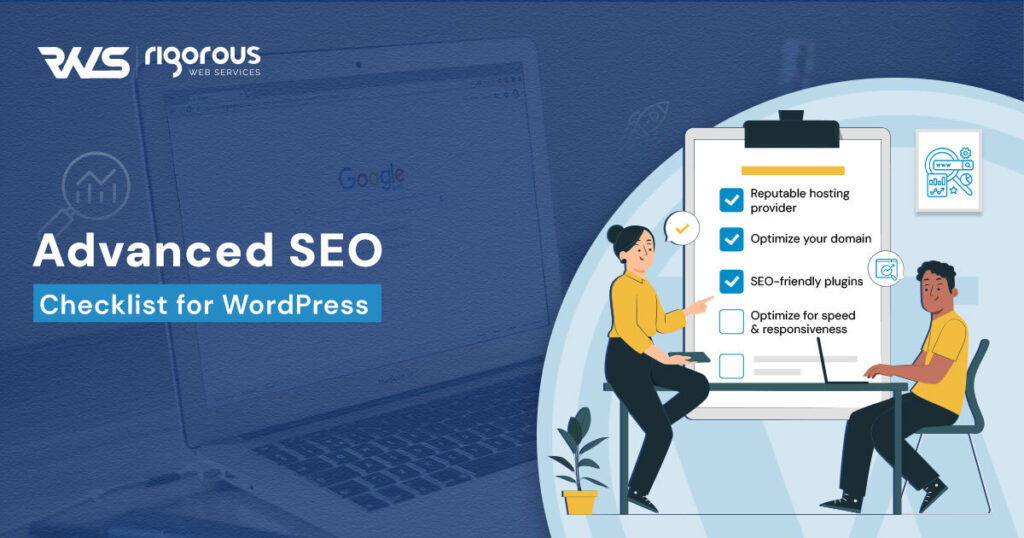
Table of Contents
Introduction
Use a reputable hosting provider to host your website
Optimize your domain
Choose the best theme for your needs
Use SEO-friendly plugins
Master Google Webmaster Tools
Optimize for speed and responsiveness
Incorporate rich media for better user engagement
Conclusion
When it comes to maintaining a WordPress website, it’s easy to wrap everything up in content creation and forget about one of the most critical aspects: SEO. That’s where an advanced SEO checklist for WordPress comes in handy. Advanced SEO Checklist for WordPress ensures your website design is impressive by covering important SEO elements including domain selection, theme analysis, content, and backlinking. By following the steps outlined in this checklist, you can improve responsiveness, page speed, and search engine performance and attract more visitors to your website.
Boost Your Hosting, Domain, Theme, and Plugin for Improved Responsiveness, Page Speed, and Google WebMaster Tools with this advanced SEO checklist.
Use a reputable hosting provider to host your website
Choosing a reliable hosting provider for your website design is important. It ensures data security and website performance. Hosting options include: Shared and dedicated WordPress hosting. For beginners, shared hosting works well. If you’re just starting out, shared hosting is a viable option. However, as your site grows and traffic increases, you should move to mainstream WordPress hosting. This hosting ensures that your website is tuned specifically for WordPress use and that you have access to a dedicated team of customer support experts who are knowledgeable about WordPress. This increases speed, performance, and user experience. Specialized Hosting offers WordPress-specific tools for effective site management. Choosing the right hosting provider is important for site stability. With reliable hosting, your site will remain secure.
Optimize your domain
Choosing the right domain name can be a daunting task. This requires a careful balance between branding and SEO. One simple solution is to choose a clear, concise, and memorable domain name. Your domain should be easy to type, write and speak, and it should be unique. Avoid numbers, letters, and other characters that make it difficult to remember or write. Redirects allow search engines to link your old pages to new ones, ensuring that users can still find your content at the new URL. Canonical URLs specify the first URL of a page, which ensures that search engines know which part of the page to display to users. Remember that your domain name is the anchor of your brand and can make all the difference in driving traffic to your website.
Choose the best theme for your needs
Choosing the right WordPress theme for your website can be difficult. It’s important to find a versatile and customizable theme that can meet the specific needs of your website. After all, the theme is the foundation of your website’s design and functionality. It is important to examine the quality and design of the theme. A theme with a clean, easy-to-navigate layout can keep your visitors engaged for a long time. Beware of many inferior themes on the market. Sometimes free or cheap themes can hinder the performance of your website. Invest in a premium theme backed by developers with proven track records. These themes are usually well-designed, won’t slow down your site, and come with dynamic support.
Use SEO-friendly plugins
WordPress offers many SEO-friendly plugins for its users to improve the SEO performance of their websites. Yoast SEO and All In One SEO Pack are two of the most used WordPress SEO plugins. With Yoast SEO, you can customize your website content, change meta descriptions, create XML sitemaps, and manipulate breadcrumbs. Additionally, Yoast SEO offers page analysis tools that allow you to check content quality and readability. The All In One SEO Pack offers the same features, including XML sitemap creation, and integration with social media platforms. Other popular plugins are SEOPress, The SEO Framework, and RankMath. These plugins help you manage your website’s SEO performance, manage redirects, and optimize your site’s content for better search engine rankings. Once you install the SEO plugin, be sure to update it regularly to enjoy the latest features and functionality.
Master Google Webmaster Tools:
Google Search Console (GSC) is an essential tool for any website owner looking to achieve search engine ranking. The first step in using GSC is to submit your website. The process is straightforward, but it may take days for Google to verify your site. Once your site is authenticated, you can gain valuable feedback on how your site is performing. The next step is to check for crawl errors and security issues. These can be caused by a variety of factors, including broken links, server errors, and unauthorized access attempts. By addressing these issues, you will improve your website’s user experience and prevent a negative impact on your search engine ranking. In addition to Google Search Console, there are other web optimization tools that can help improve your website’s SEO performance. These tools include Ahrefs, SEMrush, and MozRank.
Optimize speed and responsiveness
As already discussed, speed and responsiveness play an important role in your website’s SEO performance. Slow-loading websites result in high bounce rates and low engagement levels, sending a bad signal to search engines. Therefore, it is important to optimize the speed and responsiveness of your website to improve your SEO. One common way to do this is to reduce the size of images and media files and focus on SEO Checklist. Larger files take longer to load, negatively affecting page speed. Use image quality tools to compress your photos and other media files to a minimum without compromising quality. Remember to limit the file size to 150 KB and the resolution to a minimum of 1920 pixels to ensure fast images. Another option to consider is removing unused code and links. Remember, slow websites hamper your SEO, so always focus on a fast and responsive website.
Include rich media for better user engagement
Adding rich media like images and videos can be a game-changer in terms of driving user traffic to your site. These features not only add visual interest but can also break up text and make reading easier. Images and video can convey information more effectively than text alone, making your content more memorable. This can also improve your website’s ranking in image search results. Just remember, while there are many benefits to incorporating high-quality media, it’s important not to overdo it. Too many images and videos can slow down your website and negatively impact your SEO. But when used appropriately, these features can improve your website’s user experience and make your content more memorable.
In summary, the key takeaway is to continuously experiment with SEO Checklist and strategies and find out what works best for your specific website and audience. Remember that SEO is not a one-time fix, but an ongoing process that requires careful maintenance and updating. So, stay informed, stay creative, and keep climbing the search engine ranking ladder.


